
Bookings are automatically delivered to PMS if it is integrated with the TravelLine platform. Sometimes errors occur, and bookings, which fail to be delivered to PMS, go to “Reports” > “Undelivered bookings to PMS”.
Find undelivered bookings
The reasons for undelivered bookings are specified in the “Booking status” column.
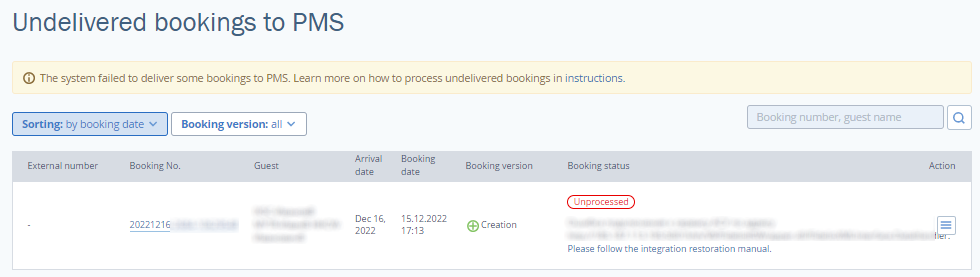
Use the filters above the table to find a required booking.

Process errors
Click “Action”.
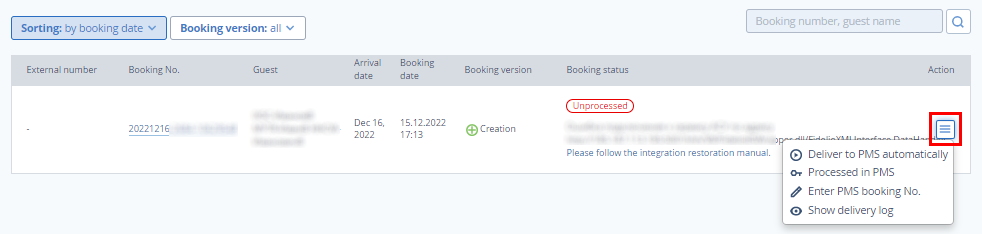
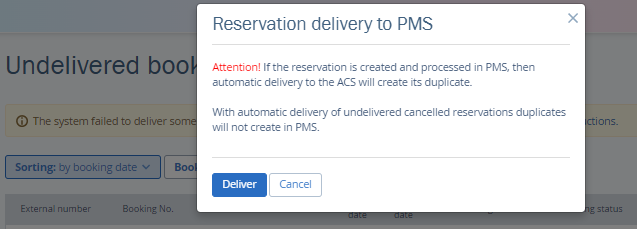
If you select “Deliver to PMS automatically”, TravelLine will attempt to deliver a booking again. Use this option after an error is fixed, so you do not have to create a booking manually. Do not use the button if you have already created a booking in PMS manually.
“Processed in PMS” should be selected if you have edited a booking manually in PMS. On the TravelLine platform, a booking is considered processed, and it is removed from the list of undelivered bookings.
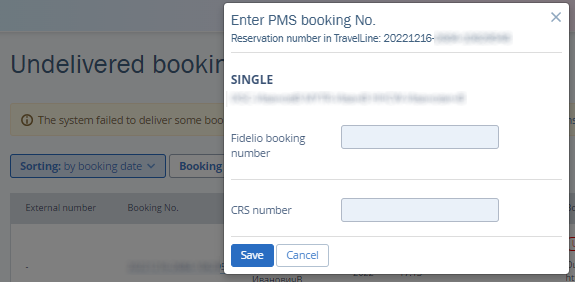
The “Enter PMS booking No.” option is used if a booking is not delivered, but it is created in PMS manually. In this case, a booking number from PMS is assigned to a booking in TravelLine. This way, changes are automatically delivered to PMS if a booking is edited or cancelled.
If “Show delivery log” is selected, a page with delivery logs opens for a required booking.
Booking is delivered to PMS
PMS notifies TravelLine if a booking is successfully delivered to PMS. The “Booking is successfully delivered to PMS” notification appears in a booking confirmation.