
Booking window, occupancy and price
Guests make bookings differently: some book several months in advance, while some do not remember about booking a hotel until the last minute. To take different guest behaviors into account, we use the Booking Window metric in TL Price Optimizer. The booking window is a time period between the booking date and the check-in date. This metric lets you select better price levels.
For example, we forecasted that the occupancy would reach 20% within 20 days before the check-in date if guests have a 25% discount. In reality, the occupancy reached the 20% rate even earlier — within 30 days before the check-in date. In a period of such high demand, you can earn even more by getting rid of the discount and raising prices.
TL Price Optimizer can automatically choose a better price level depending on the booking window. You do not have to monitor the occupancy rate and the booking window and calculate prices by hand.
How to make this setting
Go to the “Price Optimizer” menu section and open the “Main settings” page.

Open the “Booking window setup” tab and tick the “Enable recommendations based on the booking window” check box.
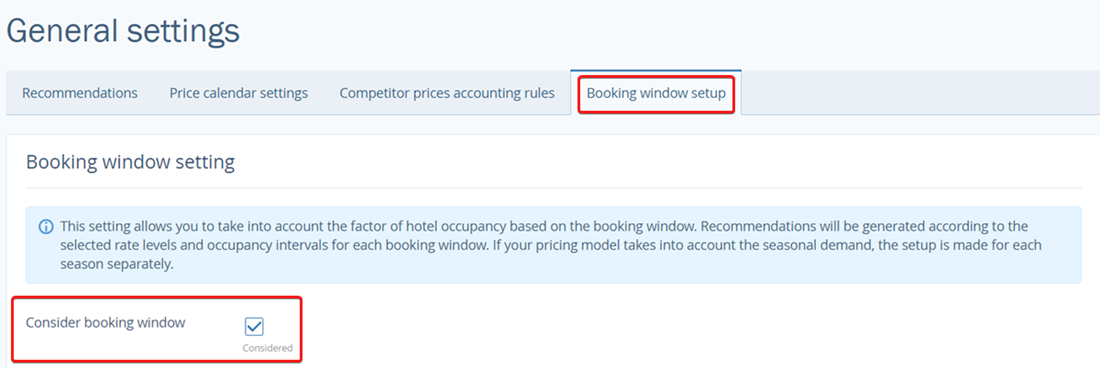
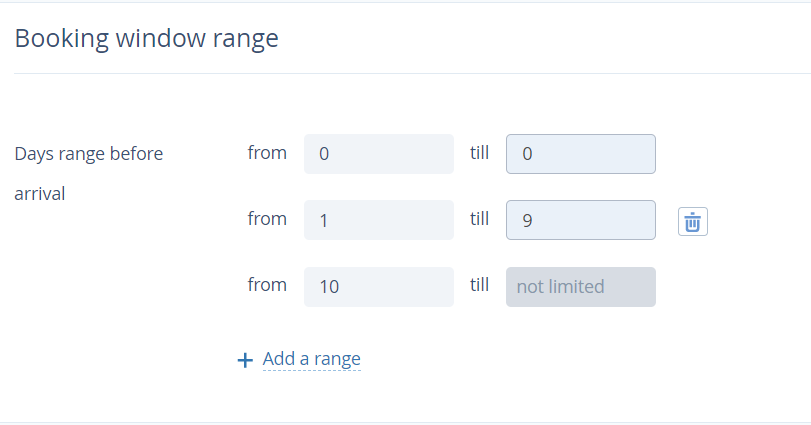
Next, set booking window ranges. In the screenshot below, there are three booking window ranges:
Check-in date
From one till 9 days before the check-in date
From 10 and more days before the check-in date
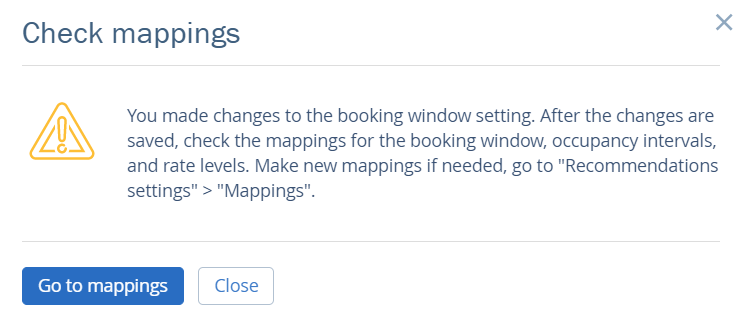
Click on the “Save” button at the top of the page. You will see a pop up window telling you to check the mappings of occupancy intervals and price levels considering the booking window ranges you selected.
By default, existing mappings are set for all the booking window ranges. Set your own mappings for each booking window range.
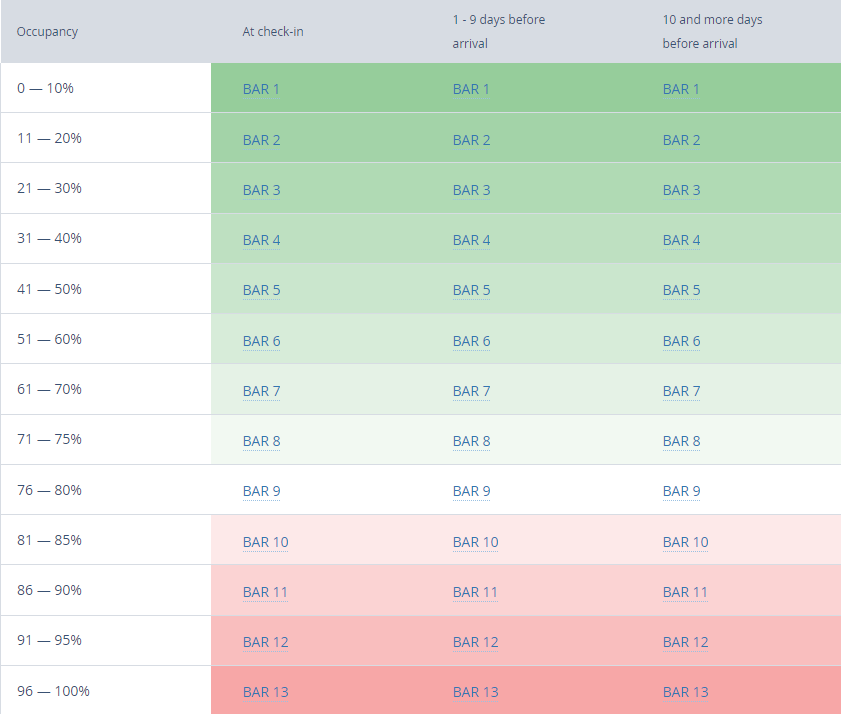
What the cell colors stand for:
Dark green — the highest price
Shades from light green to dark green — prices above the average
White — the average price
Shades of pink — prices below the average
Red — the lowest price
When you make the settings, TL Price Optimizer recommendations will start taking the hotel occupancy rate and days between booking and arrival (booking window) into account.
If you manage the settings of demand seasons, booking window ranges are set for each demand season separately. Due to this, the seasonal changes are taken into consideration as well.
Examples of price calculations for three days
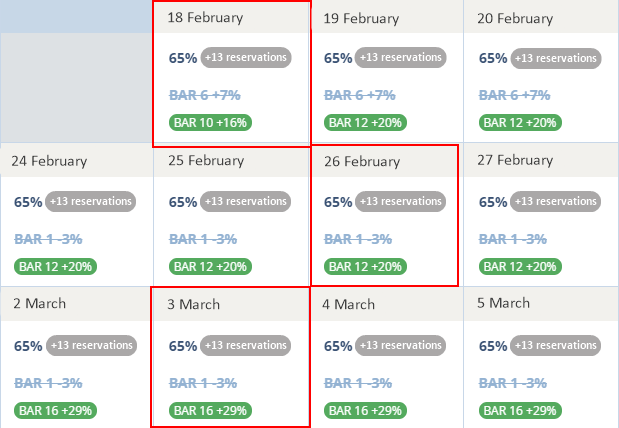
18 February — the current date
Occupancy is 65%
The number of days before arrival is 0
Based on the occupancy interval of 56-70%, and the “At check-in” booking window range, the recommended price level is BAR 10.

26 February
Occupancy is 65%
The number of days before arrival is 8
Based on the occupancy interval of 56-70% and the “From 1 to 9 days before check-in” booking window range, the recommended price level is BAR 12.

3 March
Occupancy rate is 65%
The number of days before arrival is 14
Based on the occupancy rate of 56-70% and the “9 days and more before check-in” booking window range, the recommended price level is BAR 16.
