
TL Price Optimizer is a solution that helps manage price rates depending on the hotel’s occupancy. When the demand is high the prices are increased and when the demand is low the prices are decreased. TL Price Optimizer suggests the best price for every day. You will have a chance to earn more if suddenly the hotel’s occupancy starts growing.
How does TL Price Optimizer work
TL Price Optimizer is integrated with hotel’s PMS (Property Management System). For example, TL WebPMS. TL Price Optimizer analyzes the hotel’s occupancy from PMS and suggests the best price. The hotel manager monitors all the process at the same time. Prices will be changed in sources of sale only after hotel’s approval.
TL Price Optimizer also can manage price rates depending on the price rates of your competitor hotels. Having integration with TL Rate Shopper, it automatically monitors the competitor hotels prices and selects the appropriate prices that you earn even more.
How to set TL Price Optimizer
During the first launch, the connection wizard will guide you through all the setup steps.
1. Select the PMS type.

2. Import data and fill in the room inventory. For some PMS, the rooms are created automatically

3. Set the price levels and their quantity
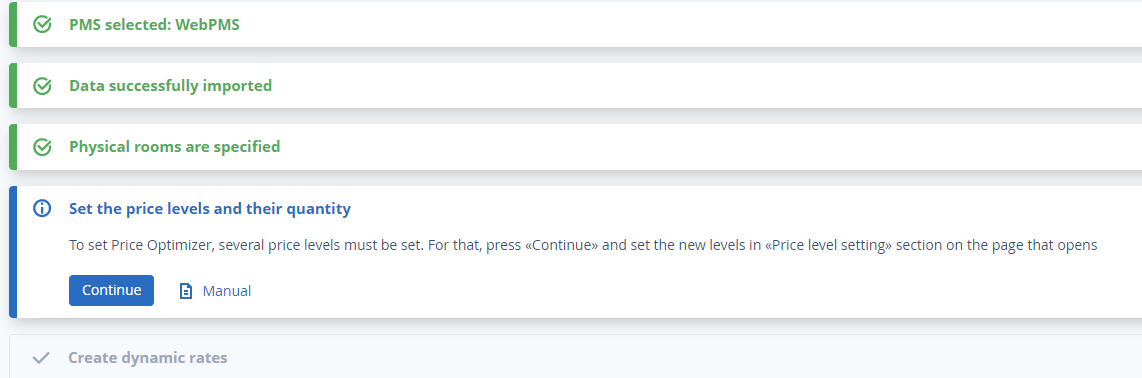
4. Create a dynamic rate. Find out more in “How to set a dynamic rate”
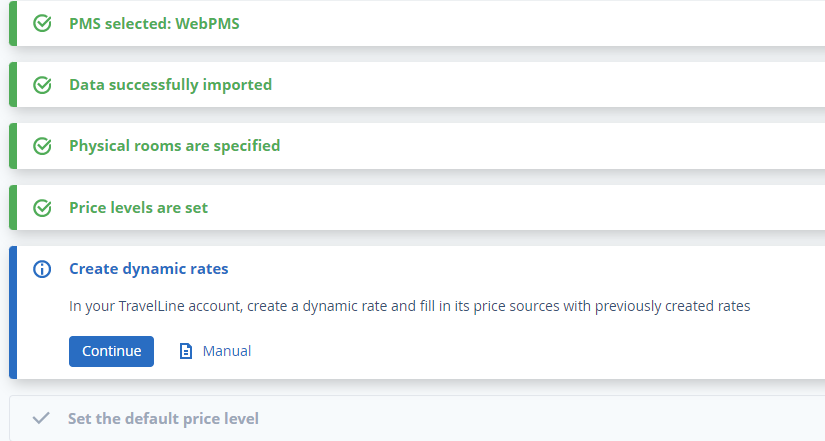
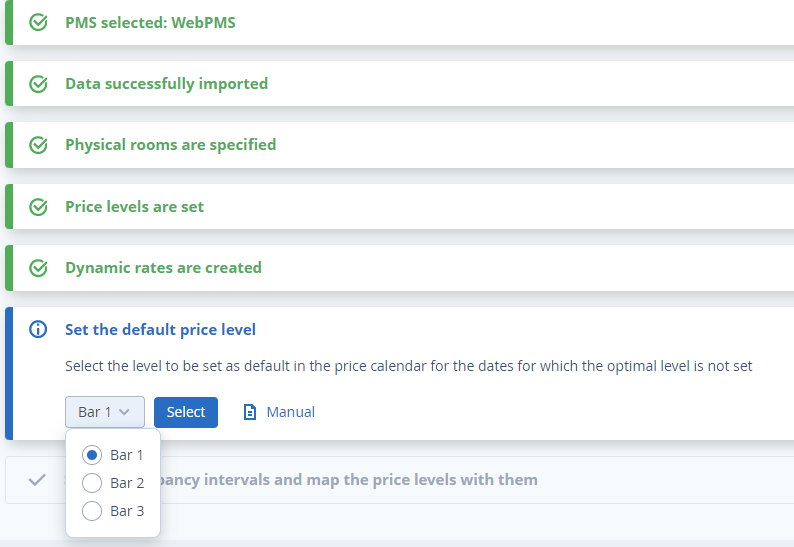
5. Set the default price level
6. Set the occupancy intervals and map the price levels with them
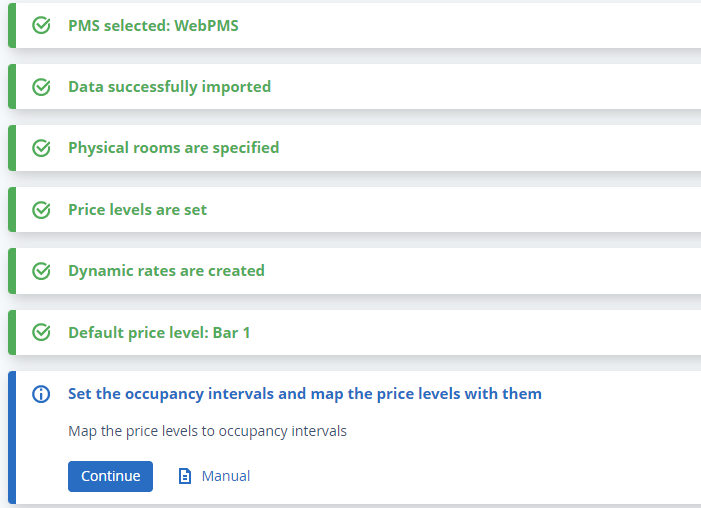
These settings can be changed any time.
How to manage prices
TL Price Optimizer can work in manual and automatic mode.
In manual mode, it suggests the best price. The hotel manager decides to approve or decline the suggestions. More details are available in the article "Manual mode in TravelLine Price Optimizer".
In automatic mode, recommendations are applied without hotel’s participation. More details on this are available in the article "Automatic mode in TravelLine Price Optimizer"