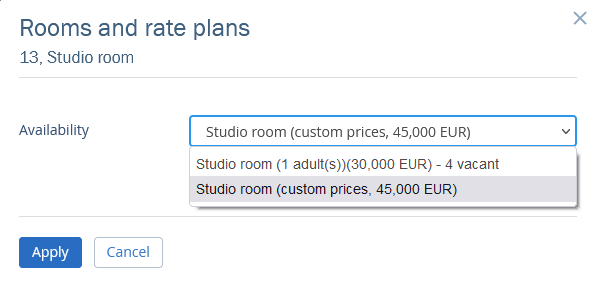
Custom prices in a booking in TravelLine WebPMS are the price rates that are not tied to the settings made.
They appear in case it is not possible to maintain the cost of stay as it was.
When does the “Custom prices” badge appear:
The booking has been modified from anywhere (booking details page, Front desk, Channel Manager, etc.)
There are changes that affect the price, or the price is fixed when changing a room type
In the settings, there are no accommodation types for the current booking details
When there is a payment at a deleted or disabled rate plan
When the number of guests in a booking is changed to the number not foreseen by the rate plan
Let’s look at how the custom prices appear:

The “Custom prices” badge appears next to the “Availability” field when you change the cost of the stay in the “Services and accommodation” tab of the booking details page.
To reset the custom prices, click on the “Availability” field and select the price without the customization from the drop-down list.